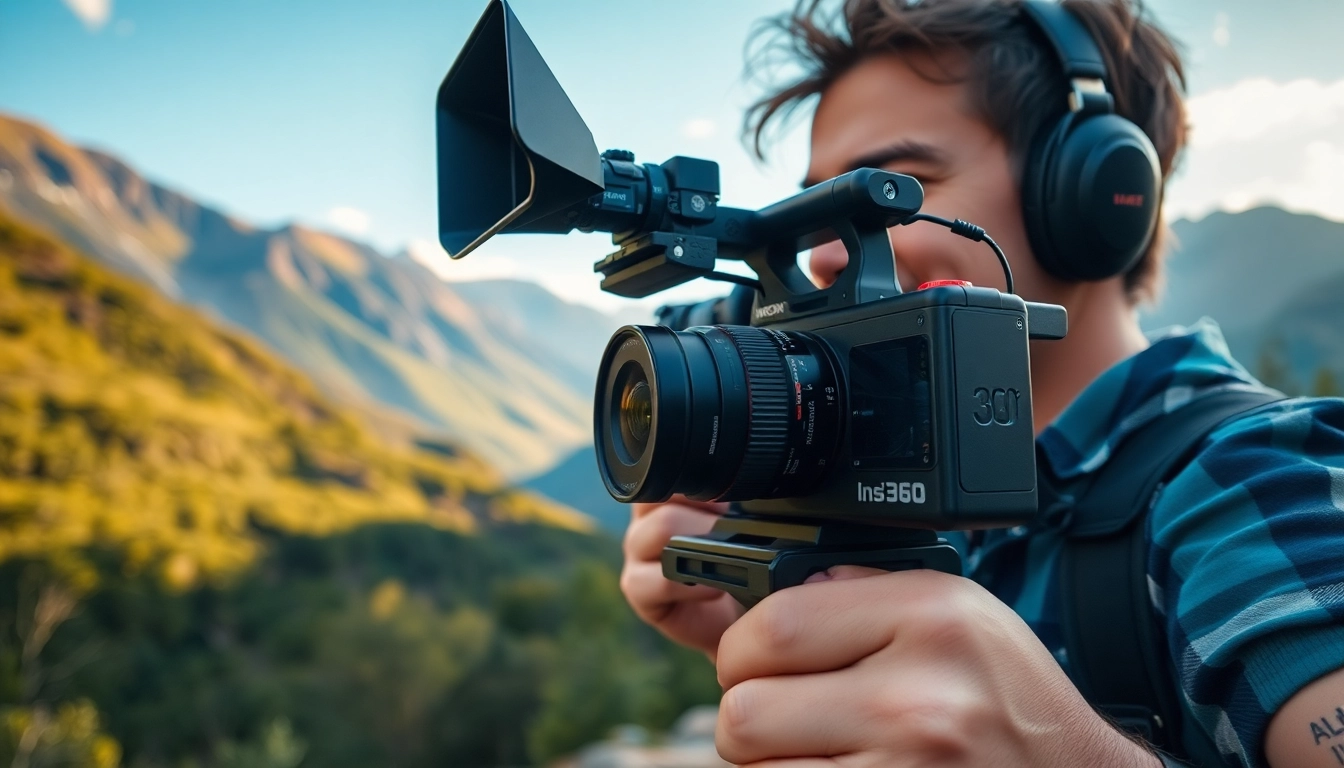
Understanding the Capabilities of the Insta360
What Makes Insta360 Unique
The realm of photography and video creation continues to evolve, and with it comes the challenge of capturing life's most vivid moments in new and exciting ways. Among the trailblazers in this field, insta360 stands out by revolutionizing the perception of action cameras and 360-degree videography. Unlike standard cameras that limit your perspective to a single frame, Insta360 products allow an all-encompassing view, making every shot immersive and dynamic. One of the pivotal aspects of Insta360 technology is its ability to shoot in 360 degrees. This feature opens up a new dimension for storytelling, as creators can effectively immerse viewers in the environment, offering a sense of presence that traditional cameras cannot achieve. Additionally, Insta360 products come equipped with advanced stabilization technology, ensuring that video footage remains smooth and professional, even during high-action scenes or fast-paced activities. Moreover, the integration of software tools into the Insta360 ecosystem is noteworthy. Users can edit, share, and even add special effects directly from their smartphones or computers, allowing for more creative control and a streamlined filming workflow. The synergy between hardware and software enhances the overall user experience and empowers creators to express their vision.
Key Features to Consider
When exploring the capabilities of Insta360 cameras, understanding their key features is essential for maximizing your creative potential. Below are some of the standout features that define the Insta360 experience: 1. 360-Degree Capture: The hallmark feature of Insta360 cameras is their ability to capture omnidirectional video. This enables users to record everything around them and later select the best angles in post-production. 2. High Resolution: With 5.7K video resolution in models like the ONE X2, Insta360 delivers exceptional clarity and detail, ensuring that every shot is as vivid as possible. 3. Advanced Stabilization: Featured in both hardware and software, Insta360's FlowState stabilization technology allows for smooth recordings, even under challenging conditions. 4. Waterproof Design: Many Insta360 products are designed to be waterproof, making them suitable for underwater adventures and harsh weather conditions—perfect for action sports enthusiasts. 5. Easy Editing and Sharing: Insta360’s editing app offers templates, filters, and tools specifically designed to enhance 360 content, which simplifies the editing process and makes it accessible to all skill levels. 6. Live Streaming Capabilities: Insta360 cameras can also live stream directly to social media platforms, giving users the ability to share their experiences in real-time with their audience. By familiarizing yourself with these features, you can leverage the unique capabilities of Insta360 cameras to create content that captivates and engages your audience.
Getting Started with Your Insta360
Starting your journey with an Insta360 camera can seem daunting, especially if you are new to 360 photography and videography. However, the setup process is user-friendly, and with a few steps, you can be well on your way to capturing breathtaking content. 1. Unboxing and Setup: Begin by unboxing your Insta360 camera and familiarizing yourself with its components. Ensure you charge the battery fully before first use and download the corresponding Insta360 app on your mobile device. 2. Camera Settings: Once the camera is charged, turn it on and navigate through the settings. Customize the resolution, frame rate, and other preferences to suit the type of content you want to create. 3. Shooting Your First Video: Choose a captivating location and ensure ample lighting for better quality footage. Hold the camera at stable angles for smoother results, or explore the various shooting modes available. 4. Utilize Accessories: Consider using accessories like tripods, selfie sticks, or mounts to enhance your shooting experience. Accessories can provide greater flexibility and creativity in framing your shots. 5. Editing and Sharing: After capturing your footage, transfer it to your smartphone or computer for editing. Use the Insta360 app to add effects, trim clips, and prepare your video for sharing on social media or other platforms. By following these initial steps, you can seamlessly transition into the world of 360 content creation, laying the groundwork for your filmmaking endeavors.
Techniques for Capturing Stunning 360-Degree Content
Framing Your Shots with Insta360
When working with 360-degree cameras, the concept of framing expands beyond traditional boundaries. Instead of a single focal point, every shot offers a comprehensive view, which requires a different approach to composition. 1. Central Focus: In a 360-degree frame, placing your subject at the center can create a sense of immersion, drawing viewers into the scene. Position your camera strategically to highlight the subject against the background, ensuring that they stand out. 2. Lead Lines: Utilize natural lines in the environment to lead the viewer's eye towards the main subject. For instance, roads, pathways, or architectural elements can serve as guides drawing attention to focal points. 3. Layered Composition: Create depth in your shots by incorporating foreground elements, such as trees or landmarks. Layering adds dimension to a 360-degree view, enhancing the overall visual experience. 4. Dynamic Movements: While stationary shots can be captivating, incorporating movement results in more engaging footage. For example, walk around your subject or rotate the camera to allow viewers to explore the environment. By using these framing techniques, you can considerably elevate the quality of your 360-degree content, providing viewers with engaging and memorable experiences.
Utilizing Creative Angles and Movement
Exploring unique angles and movements adds an artistic touch to your 360-degree videos, making them more visually appealing. 1. Bird's Eye View: If you have access to drones or elevated mounts for your Insta360 camera, capture aerial shots that provide an extraordinary perspective of your surroundings. 2. Low Angles: Shooting from a low angle can make subjects appear more imposing or dramatic. This technique is particularly effective for action scenes or showcasing landscapes. 3. Walking Shots: Integrate walking or running movements into your shots to create a sense of journey. Make sure to use the camera’s stabilization features to ensure the footage remains smooth. 4. Timelapse and Hyperlapse: Experiment with time-lapse or hyperlapse techniques to show the progression of time in a condensed format. This is particularly effective for showing crowd movements or natural phenomena. Incorporating these creative angles and movements leads to more dynamic storytelling capabilities, captivating your audience and enhancing the impact of your content.
Post-Processing Techniques for 360 Footage
Post-processing is a critical step in enhancing the quality of your 360-degree content. Leveraging software tools effectively can turn raw footage into polished videos worthy of sharing. 1. Stitching and Cropping: Many Insta360 cameras automatically stitch footage, but you may want to check for any errors or gaps. Use post-processing software to crop unnecessary elements or correct any stitching issues. 2. Color Grading: Apply color grading techniques to enhance the aesthetic appeal of your footage. Focus on achieving a cohesive color palette that matches the mood of your content. 3. Adding Effects and Overlays: Use the editing tools available in the Insta360 app to add transitions, text, or animated elements that can enrich your story and keep the viewer engaged. 4. Sound Design: Incorporate soundtracks or sound effects to complement the visuals effectively. Ensure that the audio levels are balanced and that the audio enhances rather than overwhelms the visuals. Through thoughtful post-processing, you can dramatically elevate your 360 footage, making your story more immersive and captivating.
Incorporating Insta360 in Your Filmmaking Workflow
Planning Your Shoot: Best Practices
Effective planning is the cornerstone of successful filmmaking, especially when working with advanced tools like Insta360 cameras. Here are best practices to consider before hitting record: 1. Define Your Story: Before filming, establish a narrative or concept for your project. What message do you want to convey? Having a clear storyline guides the shooting process and influences your composition. 2. Scout Locations: Visit potential filming locations ahead of time. Assess the lighting, background elements, and any obstacles that may affect your shoot. Take preliminary shots to help inform your filming strategy. 3. Schedule Your Shoots: Time of day plays a vital role in achieving optimal lighting conditions. Early morning or late afternoon is often referred to as the “golden hour,” where natural lighting produces stunning visuals. 4. Plan for Equipment: Ensure that you have all necessary equipment ready for the shoot—cameras, mounts, batteries, and memory cards. Consider backup equipment in case of technical failures or unexpected issues. By implementing these best practices, you can create a well-structured filming plan that enhances your overall productivity and the quality of your final output.
Integrating Insta360 Footage with Traditional Video
Combining 360-degree footage with traditional video opens up new dimensions for storytelling. This technique leverages the strengths of both formats, enriching the viewer's experience. 1. Establishing the Scene: Begin with traditional footage to establish the scene, providing context before cutting into 360-degree shots that immerse the audience in the environment. 2. Seamless Transitions: Use creative transitions to switch between traditional and 360 footage. For example, employ fade-ins or even motion transitions (like a whip pan) to maintain viewer engagement. 3. Narrative Cohesion: Ensure that both formats contribute to the narrative cohesively. Use 360 shots to emphasize key moments or scenes that benefit from the immersive aspect. 4. Editing Workflow: Choose an editing software that allows for easy integration of both video formats. Look for tools that support multi-track editing to streamline your workflow. By thoughtfully integrating Insta360 footage with traditional video styles, you can create richer and more immersive storytelling experiences that captivate your audience.
Editing Tips for Seamless Transitions
Smooth editing is essential for maintaining audience engagement, especially when working with both 360 and traditional video formats. 1. Use of Keyframes: Keyframes enable you to animate properties over time, facilitating fluid motion during transitions. Use them to shift perspectives or camera angles smoothly. 2. Sound Design as a Transition Tool: Incorporate sound effects or musical transitions that align with visual changes. This auditory cue helps signal to viewers when the scene is changing, aiding in overall coherence. 3. Matching Visual Styles: Maintain consistency in visual themes across both video types. Factors like color grading, filters, and graphics should align to minimize jarring transitions. 4. Testing Different Techniques: Experiment with various transition techniques and ask for feedback. Ensure your audience finds the transition engaging rather than distracting. With these editing tips, you’ll create seamless transitions between 360 and traditional content, ensuring a smooth viewing experience for your audience.
Showcasing Your Work: Platforms and Strategies
Best Platforms to Share Your Insta360 Creations
Once you have refined your 360-degree videos, showcasing your work effectively is crucial for reaching a broader audience. Numerous platforms cater specifically to immersive content: 1. YouTube: As one of the largest video-sharing platforms, YouTube supports 360-degree video, allowing for easy sharing and engagement through comments and likes. 2. Facebook: With the capability to upload 360 videos directly to your feed, Facebook provides an ideal platform for reaching friends and family or even the broader community. 3. Vimeo: Targeted more towards filmmakers and serious content creators, Vimeo offers high-quality video hosting options and is an excellent venue for professional presentations. 4. Instagram: Utilize Instagram Stories and IGTV to share shorter snippets of your 360 experiences. Encourage followers to explore your content by directing them to the full videos on other platforms. 5. Website Integration: Host videos directly on your website to showcase your portfolio. Embedding your Insta360 videos allows viewers to experience your work without leaving your site. By choosing the right platform, you can effectively showcase your creative work while maximizing its reach.
Engaging Your Audience with 360 Content
Engaging your audience involves more than just sharing videos; it’s about fostering an interactive experience that captivates viewers. 1. Interactive Polls and Questions: Within your 360 videos, consider integrating interactive elements where viewers can choose their paths or answer questions, boosting viewer participation. 2. Behind-the-Scenes Content: Share behind-the-scenes footage or stories about the making of your 360 videos. This adds depth to your work, offering context and building authenticity. 3. Community Building: Engage with your audience through comments and feedback. Create a 360 community by encouraging discussions, sharing tips, or even hosting live Q&As. 4. Collaborations: Work with other content creators or influencers to expand your reach. Joint projects can attract new audiences and present fresh perspectives. Engaging your audience enhances their connection to your content while fostering a supportive community around your creative endeavors.
Marketing Your Insta360 Videos Effectively
Effective marketing strategies are essential for maximizing the visibility of your Insta360 videos. Here are several actionable strategies to consider: 1. SEO Optimization: Use relevant keywords in your video titles, descriptions, and tags to enhance visibility on search engines and video platforms. 2. Email Marketing: Leverage your mailing list to share your latest videos with followers. Craft compelling subject lines and include snippets of your video to entice viewers. 3. Social Media Teasers: Create short teaser clips or highlights from your videos to share on social media. Use visuals that catch the viewer's eye to prompt them to watch the full length. 4. Hashtags and Trends: Utilize popular hashtags related to 360 videos and filmmaking in your posts to tap into broader conversations and increase visibility. 5. Consistent Scheduling: Maintain a regular posting schedule for your videos to keep your audience engaged. Consistency reinforces your presence and encourages viewers to keep returning for new content. By implementing these marketing strategies, you can effectively expand your reach and garner greater engagement for your Insta360 videos.
Staying Ahead with Future Innovations in 360 Filming
Emerging Trends in 360 Technology
The landscape of 360 filming is ever-evolving, with several emerging trends shaping the future of this exciting medium. 1. Increased Accessibility: As technology develops, 360 cameras have become more affordable and user-friendly, allowing a wider audience to engage in this form of content creation. 2. Augmented Reality (AR) Integration: The fusion of 360-degree video with AR capabilities opens up new avenues for storytelling, enabling viewers to interact with their environment in innovative ways. 3. Enhanced Virtual Reality Experiences: As VR technology continues to advance, the integration between 360 filming and virtual reality will enable fully immersive experiences that transport viewers into the story. 4. AI in Video Editing: The incorporation of AI tools for automated editing will streamline the post-production process, allowing creators to focus more on storytelling and creativity. By keeping abreast of these trends, filmmakers can remain relevant and innovative in the competitive landscape of 360 content creation.
Preparing for the Next Generation of Insta360 Products
As technology progresses, being prepared for the next generation of Insta360 products can provide a competitive edge in your filmmaking journey. 1. Stay Informed: Regularly visit the Insta360 website and follow their social media channels to stay up to date with new product releases and features. 2. Invest in Future Tools: Consider how emerging products can enhance your creative workflow. New functionalities may open doors to entirely new types of content. 3. Adapt to New Techniques: Learn and experiment with new techniques as technology evolves. The willingness to adapt and innovate is crucial for staying relevant in the industry. By proactively preparing for advancements in Insta360 technology, you can better position yourself for success in your filmmaking endeavors.
Building Community Around 360 Filmmaking
The filmmaking community thrives on shared experiences, insights, and collaboration. Building a community around 360 filmmaking can enrich your creative journey. 1. Online Communities: Join forums and social media groups centered on 360 content creation to share ideas and techniques with fellow creators. 2. Workshops and Networking Events: Attend workshops and networking events focused on filmmaking and emerging technologies to connect with like-minded individuals. 3. Collaborate with Peers: Collaborate on projects with others in the community to inspire creativity and learn new techniques from one another. By fostering community engagement, you can create a supportive network enhancing your skills while encouraging innovation in 360 filmmaking.