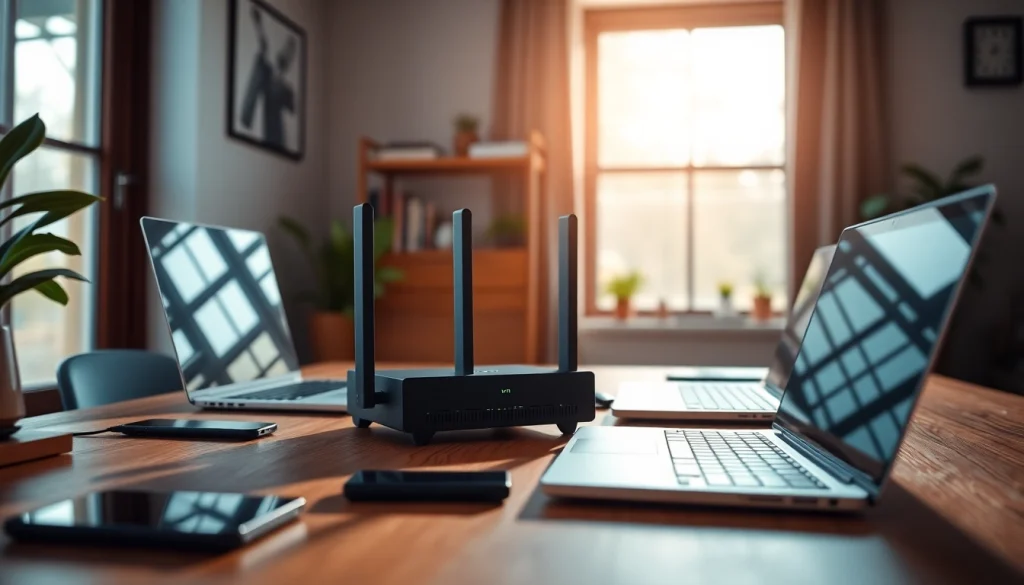
Understanding VPN Routers
What is a VPN router?
A VPN router is a networking device designed to connect multiple devices to a virtual private network (VPN) seamlessly. Unlike standard routers that merely direct internet traffic, VPN routers encrypt the data being sent and received, providing enhanced security and privacy for all connected devices. Essentially, a VPN router ensures that every device on your home or office network benefits from the advantages of a VPN, such as improved online security, anonymization of internet usage, and the ability to bypass geo-restrictions.
Benefits of using a VPN router
The use of a vpn router presents several significant advantages:
- Comprehensive Coverage: All devices connected to the VPN router are protected, eliminating the need to install individual VPN software on each device.
- Simplified Management: Managing a single router is easier than handling multiple VPN connections across devices.
- Enhanced Security: VPN routers encrypt traffic at a network level, ensuring data privacy and protection against hacking attempts.
- Bypassing Restrictions: You can access region-specific content and services by connecting to VPN servers from different countries.
- Improved Performance: Many VPN routers are optimized for speed and performance, ensuring that you get the best possible internet experience while using a VPN.
How VPN routers differ from regular routers
While both VPN and regular routers serve the basic function of delivering internet connectivity, their capabilities diverge significantly:
- Security: VPN routers provide built-in security features such as encryption, which regular routers lack. Regular routers do not safeguard your online activity inherently.
- Connection Types: VPN routers can connect directly to a VPN server, while standard routers typically connect devices to their internet connection without this additional layer of configuration.
- Device Compatibility: Certain VPN routers can support smart home devices, gaming consoles, and IoT equipment through secure, encrypted channels.
- Customizability: Many VPN routers allow for advanced configurations and service selections that regular routers do not offer.
Key Features to Look for in a VPN Router
Performance and speed specifications
Choosing a VPN router with superior performance and speed specifications is paramount. Look for routers that support dual-band technology, offering both 2.4GHz and 5GHz frequencies. Additionally, ensure the device supports high-speed standards such as Wi-Fi 6 or Wi-Fi 7, which can significantly enhance data throughput and performance. Router specifications such as processor power, RAM, and memory bandwidth also play crucial roles in handling multiple connections and maintaining optimal speeds, especially under heavy bandwidth usage scenarios.
Compatible protocols and software
An effective VPN router must support various protocols such as OpenVPN, L2TP/IPsec, and PPTP to ensure compatibility with leading VPN services. OpenVPN is widely regarded for its security and performance, making it a desirable choice. Furthermore, check if the router’s firmware supports custom VPN configurations. Many VPN providers offer dedicated firmware that can improve connections, security, and user experience.
Additional features for enhanced security
To bolster your online security, look for VPN routers that offer features such as:
- Intrusion Prevention Systems (IPS): This acts as an added layer of protection against inbound threats.
- Firewall Capabilities: A robust firewall helps monitor incoming and outgoing traffic, ensuring unauthorized users cannot access the network.
- Traffic Management Features: Quality of Service (QoS) settings can prioritize bandwidth for specific applications or devices, improving overall experience.
- Guest Network Options: This feature allows visitors secure access to the internet without exposing your primary network.
Setting Up Your VPN Router
Step-by-step installation guide
Setting up a VPN router may initially seem daunting, but with a systematic approach, it can be accomplished efficiently. Follow these steps:
- Unbox and Connect: Plug your VPN router into a power source and connect it to your modem using an Ethernet cable.
- Access the Router’s Interface: Using a web browser, enter the router’s IP address to access its configuration settings. Typically found in the user manual.
- Log In: Enter the default username and password (also in the user manual), and change these credentials for security.
- Set Up the VPN: Look for the VPN settings in the dashboard and enter the details provided by your VPN service provider. This often includes server addresses, authentication details, and protocols used.
- Connect to the Internet: Ensure the VPN connection is successful and confirm the VPN is activated through the router’s interface.
- Reconnect Devices: Lastly, disconnect and reconnect your devices to the router to ensure they are operating through the VPN.
Common configuration options
VPN routers typically offer several configuration options that can enhance your traffic management and security:
- Split Tunneling: This option lets you choose which devices or applications route traffic through the VPN, allowing others to connect directly to the internet.
- Multi-VPN Configurations: Some routers allow multiple VPN connections, useful for users with subscriptions to different VPN providers.
- Dynamic DNS: Enabling dynamic DNS services helps connect remotely to your home network, simplifying access to home devices.
Troubleshooting setup issues
Initial setups of VPN routers may present challenges. Here are some common issues and solutions:
- Connection Failures: Verify that your VPN credentials (username, password) are correct and that the VPN server address is accurate.
- Slow Speeds: Ensure that you are connected to the fastest server available and minimize the number of devices using bandwidth simultaneously.
- Device Compatibility: If certain devices cannot connect, verify their network settings and ensure they are configured to connect through the VPN router.
Comparing Popular VPN Routers
Top models for home use
For home users, several VPN router models stand out for their comprehensive feature sets. When choosing, consider factors such as speed, security features, and ease of use. Look for home routers that can handle multiple simultaneous connections without compromising on speed or security. Features like built-in firewall and intrusion detection systems can add layers of protection to your home network.
VPN routers for travel
Travelers often need compact, portable VPN routers that provide secure connections on the go. Such routers should support high-speed mobile data, easy setup, and compatibility with multiple devices. One appealing aspect is the ability to connect to public Wi-Fi networks safely, which is essential for accessing sensitive information remotely.
Best budget-friendly options
Budget-conscious consumers can still find effective VPN routers that do not compromise on performance. Look for models that optimize both cost and features, providing essential capabilities such as secure connections and adequate speed for everyday usage. Users should also consider customer reviews and expert recommendations to ensure reliability without exceeding budget constraints.
Maintaining Your VPN Router Performance
Regular updates and firmware management
Regularly updating your VPN router’s firmware is crucial for maintaining optimal performance and security. Manufacturers often release firmware updates that enhance functionality or patch security vulnerabilities. Users should establish a routine check, examining the manufacturer’s website or the router interface for available updates, ensuring the device operates with the latest features and protections.
Diagnostic and performance monitoring tips
Monitoring the performance of your VPN router helps diagnose potential problems. Users should regularly check connection speeds and track data usage to ensure devices operate efficiently. Most routers come with built-in tools that provide comprehensive analytics on traffic and performance metrics, helping users to optimize settings for various applications and usage patterns.
When to consider an upgrade
Users may need to consider upgrading their VPN router under several scenarios:
- If their internet speed is frequently insufficient for household demands.
- If the router frequently drops connections or experiences hardware failures.
- If new security features or protocols become critical for safety and privacy.
- If you add multiple devices or smart home technology that require improved network management.
Frequently Asked Questions
What is the primary function of a VPN router?
A VPN router routes traffic through a virtual private network, providing security, privacy, and the ability to bypass geo-restrictions for all connected devices.
Can a VPN router improve internet speed?
Yes, VPN routers can enhance internet speed by optimizing traffic management and allowing users to select servers to connect to, enabling efficient data paths.
Is it easy to set up a VPN router?
Setting up a VPN router involves straightforward steps. Most routers come with user-friendly interfaces and guides to assist users in the setup process.
Do I still need a VPN subscription with a VPN router?
Yes, a VPN router requires a VPN subscription to function, as it needs connection details to route traffic through the VPN service securely.
Are VPN routers compatible with all devices?
Most VPN routers are compatible with a wide range of devices, but verifying compatibility with your specific devices before purchase is advisable.